
I’ve been painting digitally since 2009, and over that time I’ve used a bunch of different tools and setups; drawing tablets from Wacom and Huion, desktop PCs, laptops, Windows tablets, iPads, styluses, keyboards; loads of stuff.
During all of that, at some point around 2012 I bought a gaming keypad to try out for digital painting. It was mostly just 15 or so typical keys, but it also had a scroll wheel and dpad built-in.
I quickly gave up on it. It didn’t actually make me paint more effectively than a normal keyboard; in fact it probably slowed me down as I struggled to memorise which key did what, and it took up extra space on my desk.
So since then I kept it simple, thinking to stick forever to a basic bluetooth keyboard for shortcuts.
And then Tourbox emailed me.
Disclaimer: TourBox offered to send me their newest model at no cost, in return for an honest review. The opinions written below are my own!
So I looked up their contraption online, saw that it was crazy looking, and had a hefty price tag attached. Well, now I had to accept! What could this gadget do that would justify such a cost?!
First Impressions
Alright, I'll just admit it up front; the TourBox Elite Plus is not the most aesthetic device I've ever seen, and as an artist, I'm probably more biased towards aesthetics than most.
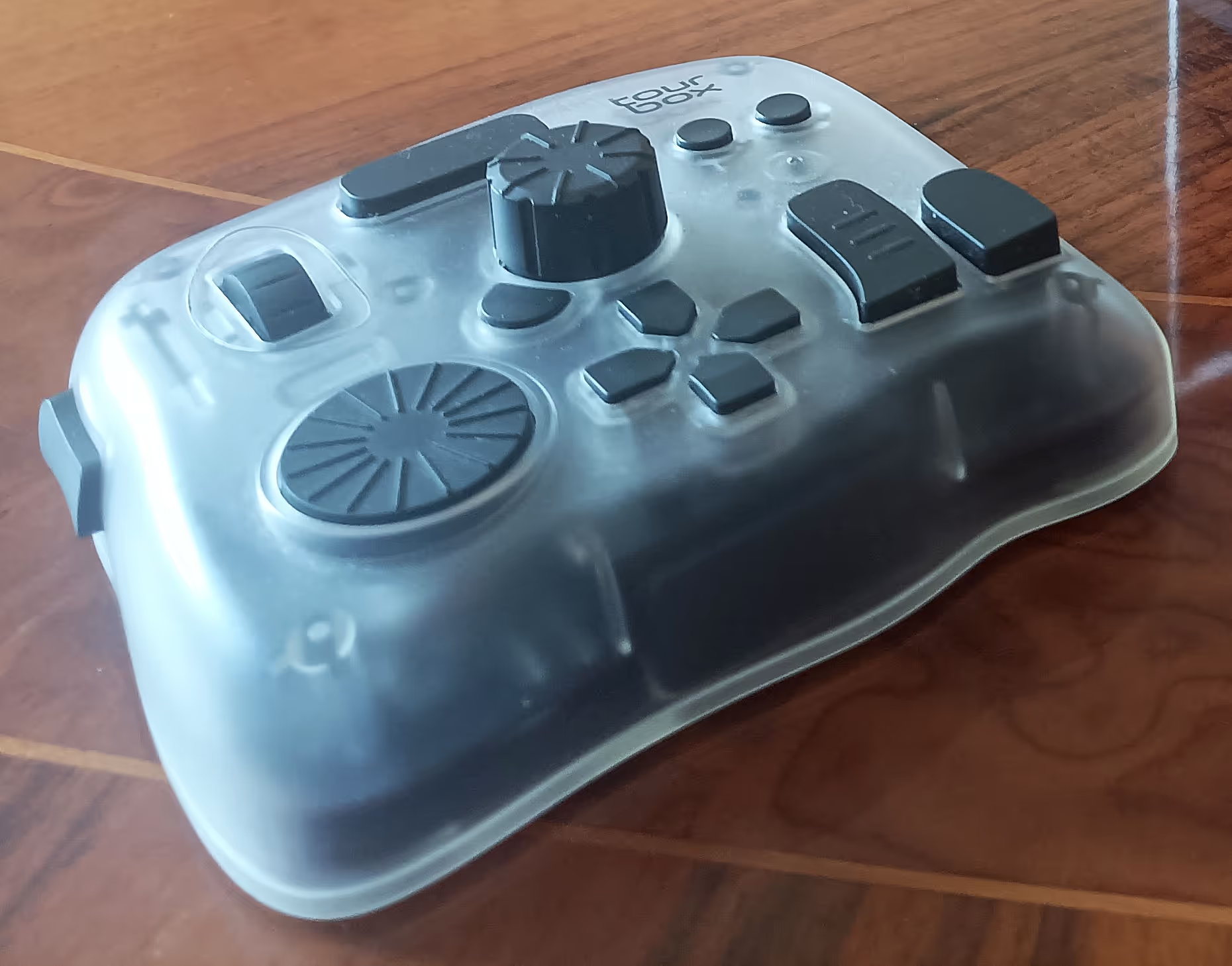
At first glance it looks like a bunch of random techno-bits all thrown together, like an Xbox controller that fell down the ugly tree, but now I’m pretty sure its very carefully and deliberately designed, and I'm glad their priorities were on functionality. I'll get to that later!
Unboxing
When I unboxed the Tourbox, my first surprise was the weight. It's a chonker.
Again, I think they did this intentionally, so it stays rooted in place on your desk. Since there are things to prod at all over it, if it was just plastic it might slide around as you use it.
I do honestly wish it was a little lighter, as I travel a lot with my kit. It's just a small downside that wont apply to most people, and I'm willing to put up with it for the many upsides (which is basically what the rest of this review will be!) but it does add some extra heft to my laptop bag.
Setup on iPad Pro (Way Easier Than I Expected)
Like I always do with new stuff, I decided to just jump right into using the TourBox, expecting to hit a wall pretty fast and having to find a how-to tutorial to figure this thing out properly.
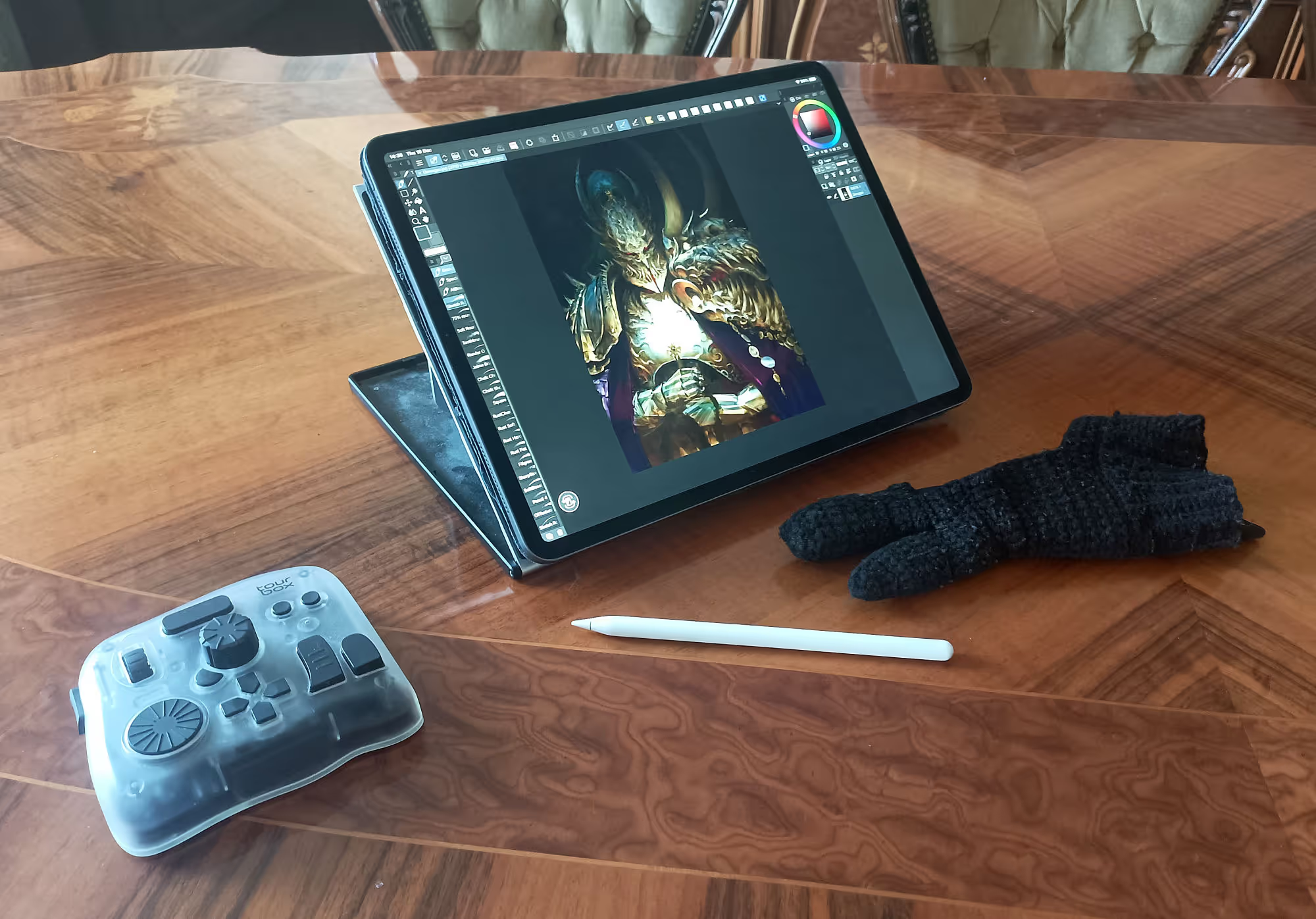
But nope, I didnt. I downloaded the app, connected it to my iPad Pro with Bluetooth, chose the Clip Studio Paint preset for the shortcuts, and started painting.
Using It!
At a glance the layout looked intimidating: knobs, wheels, oddly shaped buttons in odd places. Nothing the same size or shape, absent of symmetry, complete and utter button chaos.
But my hand fits it perfectly. Every button has its own unique shape and feel — squishy, tall, clicky, ridged — and my fingers find the right one without even looking.
This is something that old keypad I tried didn't have. Every key was the same square block, all laid out in rows. I couldn't tell one button from the other without looking at them.
Tourbox have clearly spent a lot of engineering time making each button intuitive and comfortable, and placing them perfectly.
If you've tried other keypads before and they didn't work out for you, I wouldn't necessarily write this one off.
Learning Curve
I wasn't doing any the advanced stuff straight away, that stuff did take a while.
I slowly picked things up as I went. First I learned which buttons on the TourBox were ctrl, space, alt, shift. Then I learned undo and redo, and started using the dials to change brush size, etc. I reached for the keyboard when I didn't know how to do something, which was quite a lot of stuff at first.
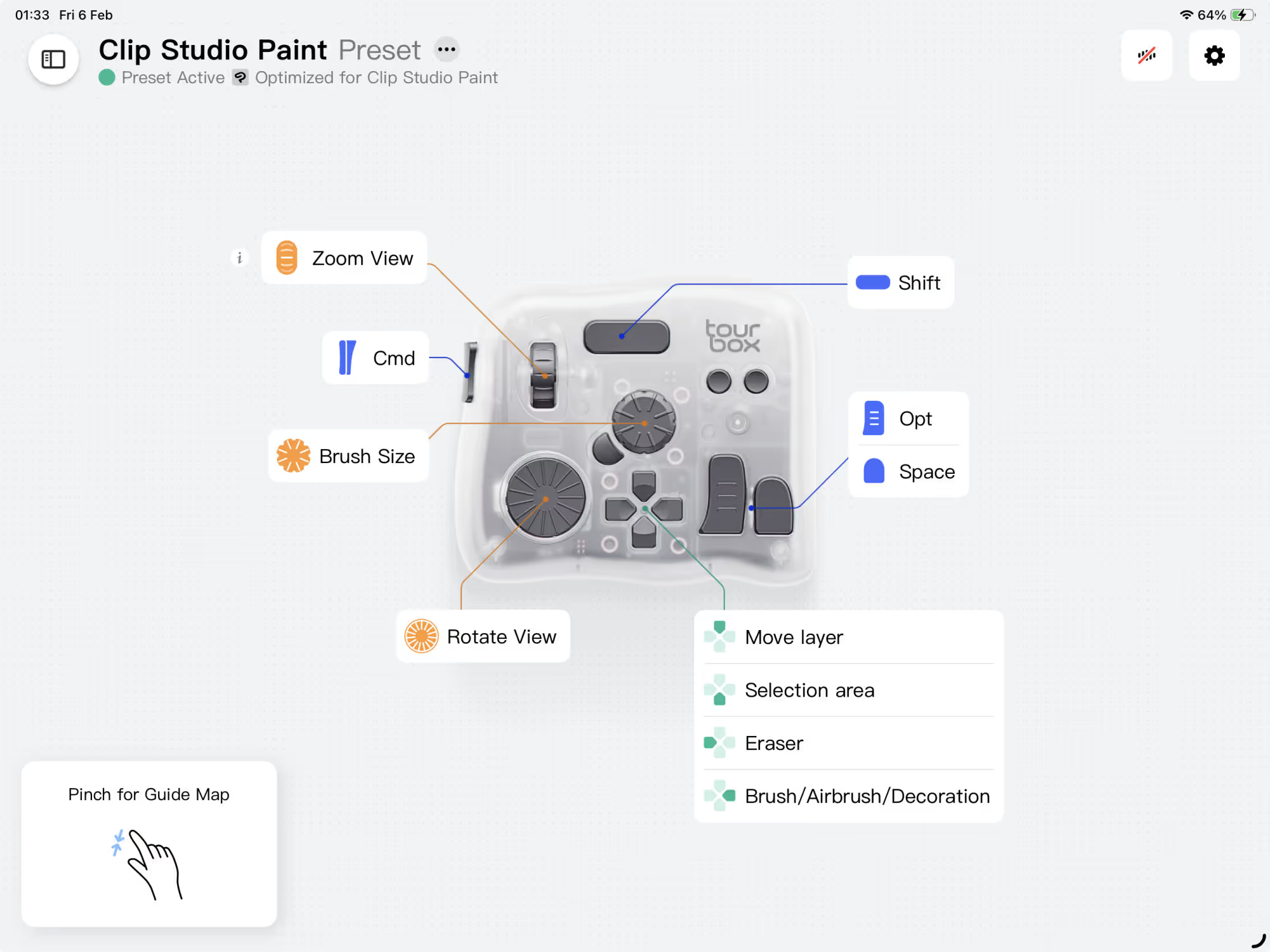
And then I started picking up combos, and found myself reaching for the keyboard less and less, and soon enough when I had to reach for the keyboard it felt wrong, so instead I would head into the Tourbox app, which by the way is really clean and easy to use, and set up the missing shortcut. Eventually my keyboard was relegated completely out of the way, only dragged into the light to type something quickly, before being shove back into the shadows.
I’ve now completed multiple illustrations for clients on my iPad Pro using the TourBox — and there's no way I'd go back to keyboard.
Moving over to Windows...
And then I tried the TourBox out on my new laptop, and boy, was that another level up I wasn't expecting.
The software on Windows unlocks brand new functionality: macros, combos, repeat commands, overlays. Probably more stuff I haven't discovered yet.
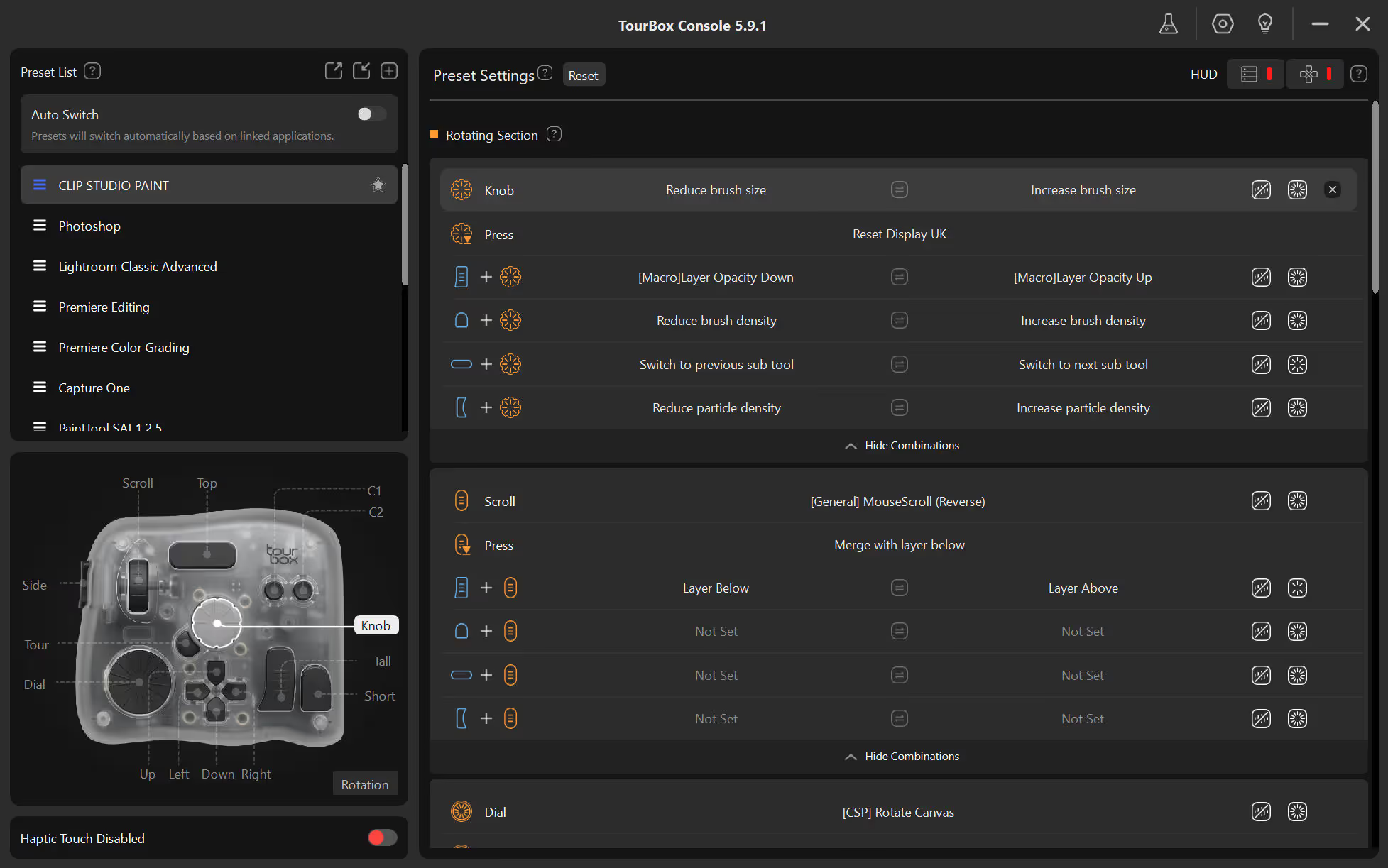
You want a single button press to merge all visible layers to a new one, apply a sharpen filter, save as a jpg and then save and close the file? Sure, just make a macro.
This really takes you above and beyond. As an example, there's no shortcut in CSP to scroll your current layer's opacity up and down. On iPad I was like, dammit, ah well, can't win them all. And then after getting a laptop, I started playing with the macro settings, and I realised I could hack together a macro to achieve it and boom, now I can scroll a wheel to alter the current layer's opacity.
On Windows, there's a handy on-screen overlay to see all your shortcuts in a list. If I create a new shortcut, boom, it's automatically added to my overlay to remind me. And you can customise what shows on the list, so as I memorise shortcuts, I hide them from the list. Now I just have a small overlay in the corner of the screen showing the shortcuts I haven't memorised yet.
At this point, I am seriously impressed.
The more I use the TourBox the more I realise what I can do with it, and the more impressed I am with how much work they've put into developing this contraption. And I’ve only set shortcuts up for CSP! I can't imagine what else I may end up doing with this thing.
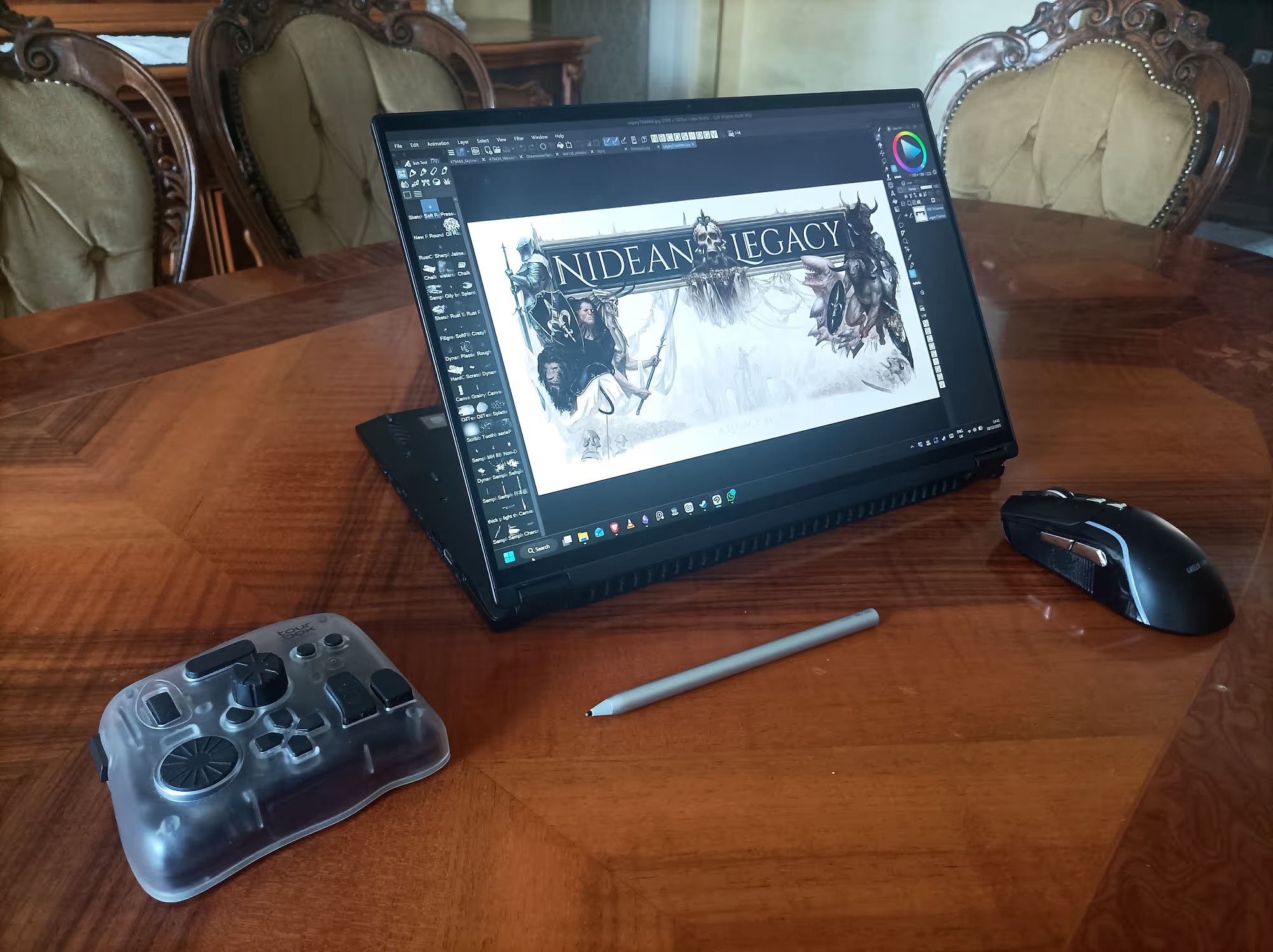
As a cool little extra, the TourBox can connect to a PC via USB-C, which means it's powered through USB; I don't have to worry about the batteries!
You can swap between two connected devices with a little button on the bottom, so I can easily swap between my iPad and my laptop.
Travel & Portability
I travel quite a lot, doing the digital nomad thing, so I spend plenty of time in airports, cafés, hotel rooms, buses, planes, you name it. I also never know quite how big my workspace is going to be for the next month or so. Just an iPad by itself feels really limited and frustrating, and a bluetooth keyboard is often too big and cumbersome for my workspace.
Aaaaand TourBox also fixed that.
It’s compact, sturdy, and fits in cramped spaces where a keyboard wouldn’t. I can sketch on a bench, in a bus, or in an airport lounge with all of my shortcuts. It's a no-brainer. And Tourbox also sells a little carry case (which they were kind enough to provide) which keeps it safe.
Pros & Cons
The good
- Tactility. Each button feels different and fits under your palm brilliantly. Pretty quickly you don't even need to look at it while you work.
- Customizability. The shortcut-mapping system is intuitive, and you can do nearly anything you could want to with it.
- Cross-device consistency. I can replicate my shortcuts on iPad and desktop, almost 1 to 1.
- Travel-friendly. Smaller than a keyboard, sturdier than a gamepad.
- Workflow boost. Keeps me in the zone! Painting now flows much easier.
The not so good
- Price. Around $300. Not cheap.
- Using it with iPad is inferior. On iPad it’s Bluetooth-only, meaning you need batteries. On top of that, some of the advanced features, like macros, aren't on iPad yet. It's still awesome, but just not quite as awesome.
- Weight—it’s pretty hefty. Any heavier and it would have been a dealbreaker for travel.
Who It’s For (and Not For)
This thing is great for professional digital painters, and at a guess, by extension, digital creatives on the whole. If you rely on shortcuts or find yourself digging through menus all the time, you'll probably love the TourBox. If you need something more compact than your keyboard to use while you travel, you'll probably love the Tourbox.
If you make art casually, I'd say getting a TourBox is complete overkill, and you probably wouldn't build the muscle memory to use it comfortably.
If you're a gesture-loving Procreate user, the Tourbox will likely gather dust, forgotten.
And if you've only just started painting but are considering becoming a professional, I'd hold off on buying such an expensive, niche piece of kit. I'd prioritise the basics, like a nice tablet, upgrading your pc, or purchasing educational content to get your skills up.
Final Thoughts
The TourBox Elite Plus isn’t a magic gadget that makes you better at art, but making art definitely feels better with a TourBox.
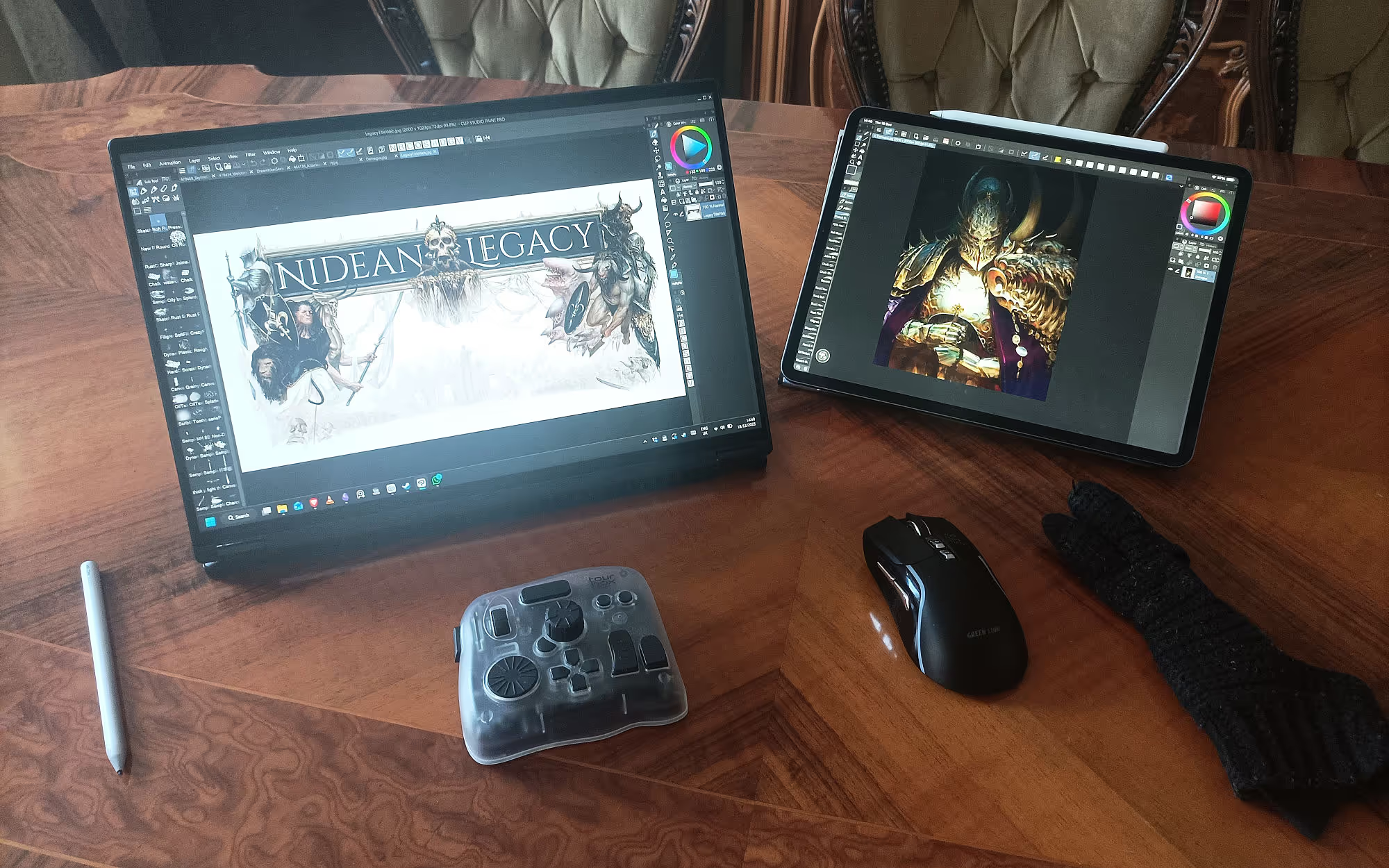
I thought I was painting efficiently before I got one of these things, and then I realised how much friction there still was in my painting process. For example, I used to hold down a couple of keys and then drag my stylus left or right to resize my brush. I can't tell you which keys they were, because I've literally forgotten since getting the TourBox.
I just spin the dial, my brush resizes while I'm painting. Just that one twiddly wheel has made such a huge difference. I can essentially resize and paint at the same time now; I didn't fully realise how slow the old way was, but this is way faster, and adds much more visual variety to my brushstrokes.
So, after months of use, the TourBox Elite Plus has become integrated into my painting process completely, and losing it somehow would sting so bad I'd have to buy another one to replace it straight away.
If it seems like I'm way too into this thing and praising it too hard, I don't know what to tell you. I honestly love this thing, it has genuinely become a key part of my painting process.
So if digital painting is a large part of your life, get yourself a TourBox.